Universities
Turn teaching labs over between modules.

ProvisionBerry
Zero-touch provisioning for Raspberry Pi 5 fleets.
What happens between power-on and power-off, with nobody at the bench.
Put the Pi on the provisioning network and switch it on. Nothing has to be set up on the device first.
The server works out which device this is and what it should be running. A card that already holds the right image is left alone.
The image goes onto the card and is checked. The device's name and access settings follow once that check passes.
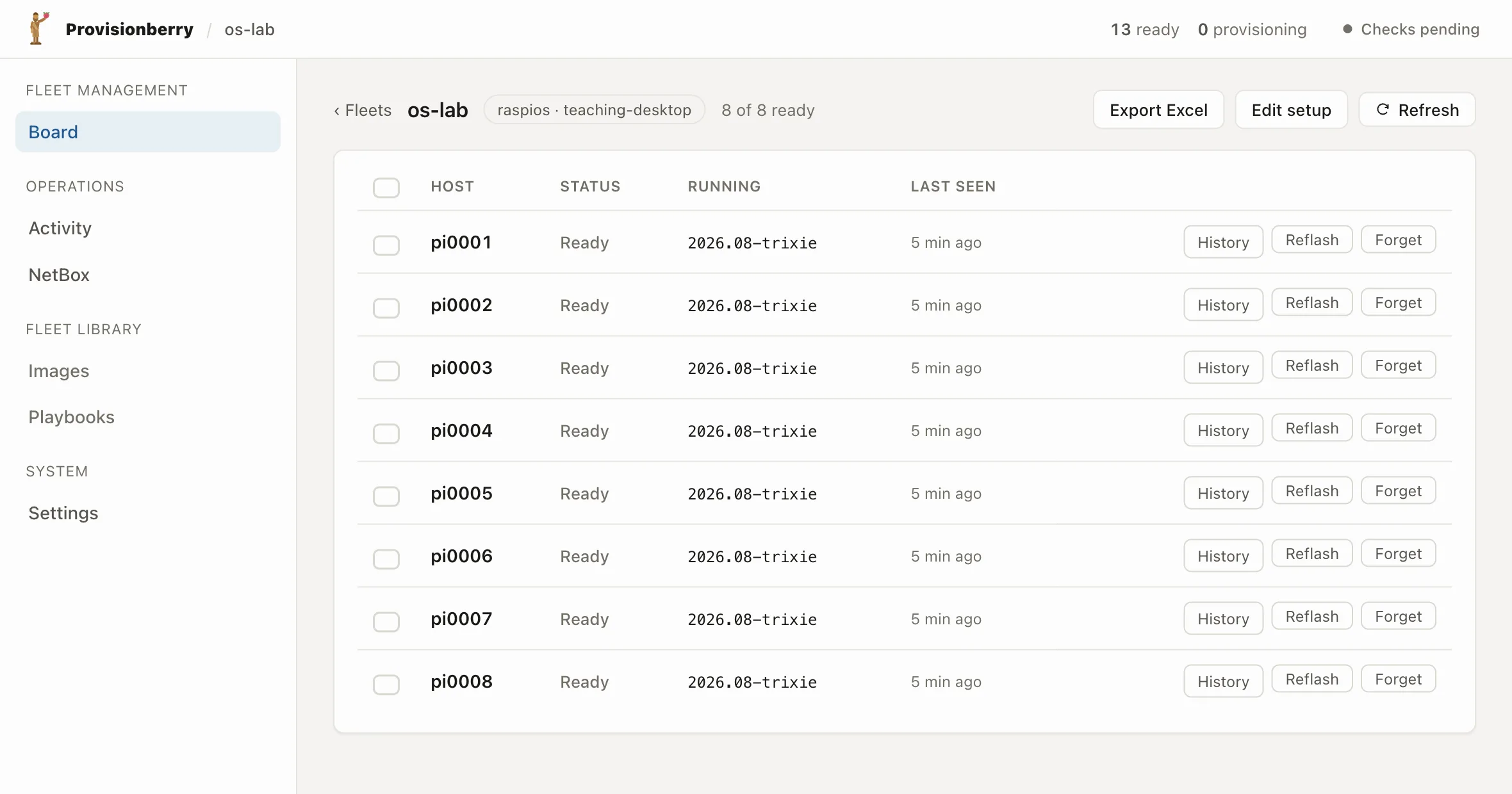
Progress shows on the board as it runs, so you can see which devices are finished and which need you.
Your own playbooks run, then the Pi powers itself off, ready to go back to the room it came from.
Fleets, images, accounts and keys live on the server, so a device picks them up whenever it is provisioned.
A fleet holds the OS its devices flash, the image version they run, and the wifi they join. Move a Pi to another fleet and it picks up that one instead.
Set the login and the SSH public keys once. Every Pi that gets flashed comes back with them already in place.
When a device is running an older image than the one it would flash today, the board flags it and tells you which fleet to open. Reflashing clears it.
Upload versions and activate the one you want. A pinned fleet stays on its version through later activations, so you can stage a new image on one room first.
Select any number of devices and reflash them, assign them, or move them to another fleet together.
Wifi keys, the admin password and the SSH keys are released to a Pi only when its network lease matches the device it claims to be. On by default.
The check runs on the device itself, before it powers off, so a bad card turns up on the bench while you are still standing there.
Once the image is written, the Pi reads it straight back off the SD card and compares the two. If they do not match, it writes the card again.
If the second write fails as well, the device is marked failed on the board with the reason recorded against it, and stays that way until someone looks.
A card is only marked done once it passes that check, so a half-written one counts as blank next time round. Nothing to undo first.
The work happens while a device is booted off the network, before its own system is up. Ask for a reflash and it arms the next boot, so a Pi someone is using carries on working.
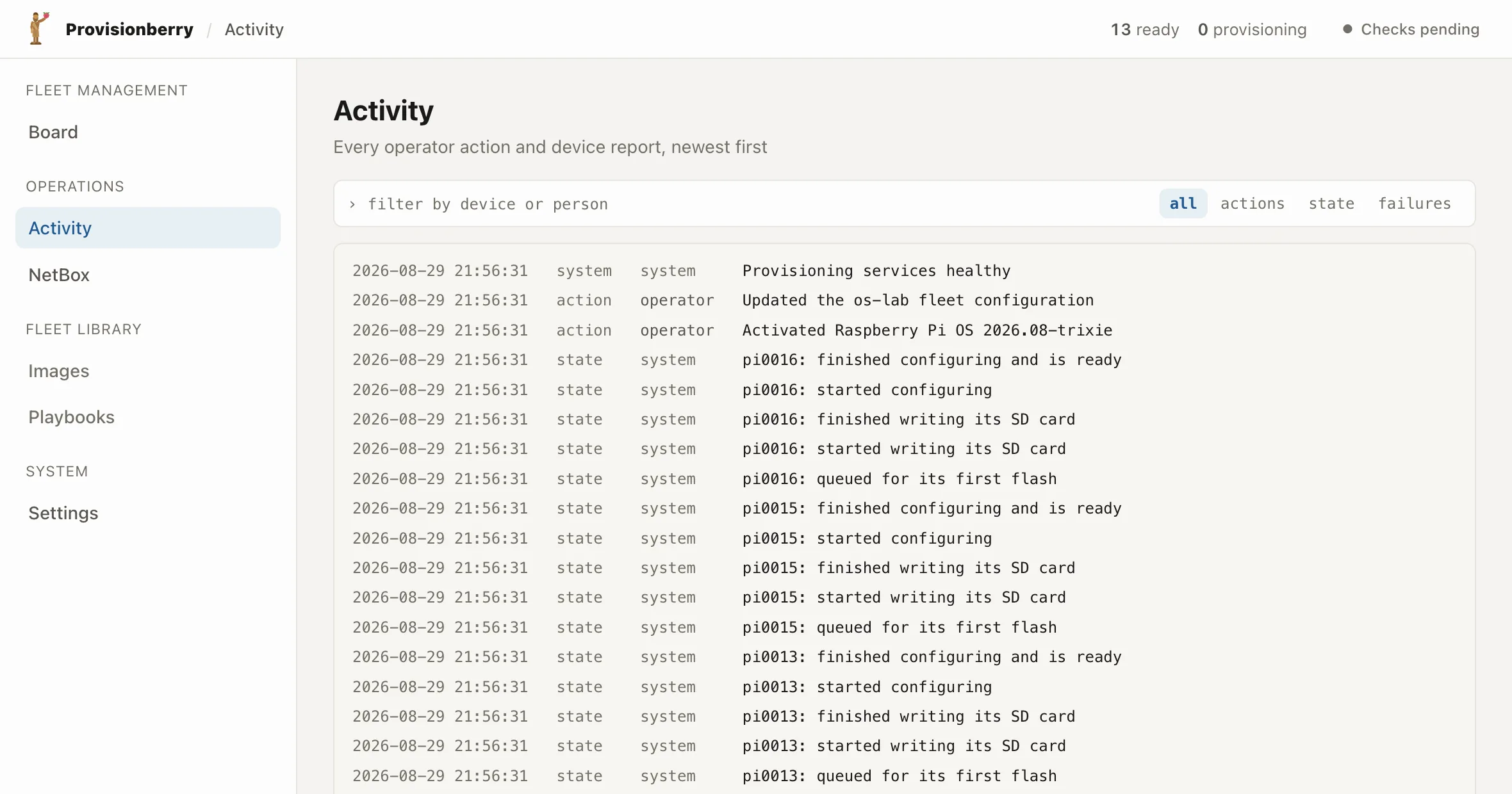
every action and device report, newest first
ProvisionBerry will be released under an open licence. You can read exactly what it does to your devices, run it on hardware you own, and keep running it at no cost.
There is no per-device fee, and the server runs on hardware you own, so a lab keeps working on its own terms.
Turn teaching labs over between modules.
Keep shared class sets ready to teach.
Recreate known device states on demand.
Raspberry Pi 5 only. Boot steering and identity both depend on Pi 5 bootloader specifics, so earlier models are not supported.
Join the waitlist and we will email you when ProvisionBerry opens up for labs outside our own.
No spam. One email, when it is ready for your bench.
Or have us walk you through a run. Book a walkthrough. We reply within one business day.